
August 27, 2026
How to Organize a Home Office for Maximum Productivity
Learn how to organize a home office with practical decluttering, storage, filing, and desk organization ideas for a productive, clutter-free workspace.
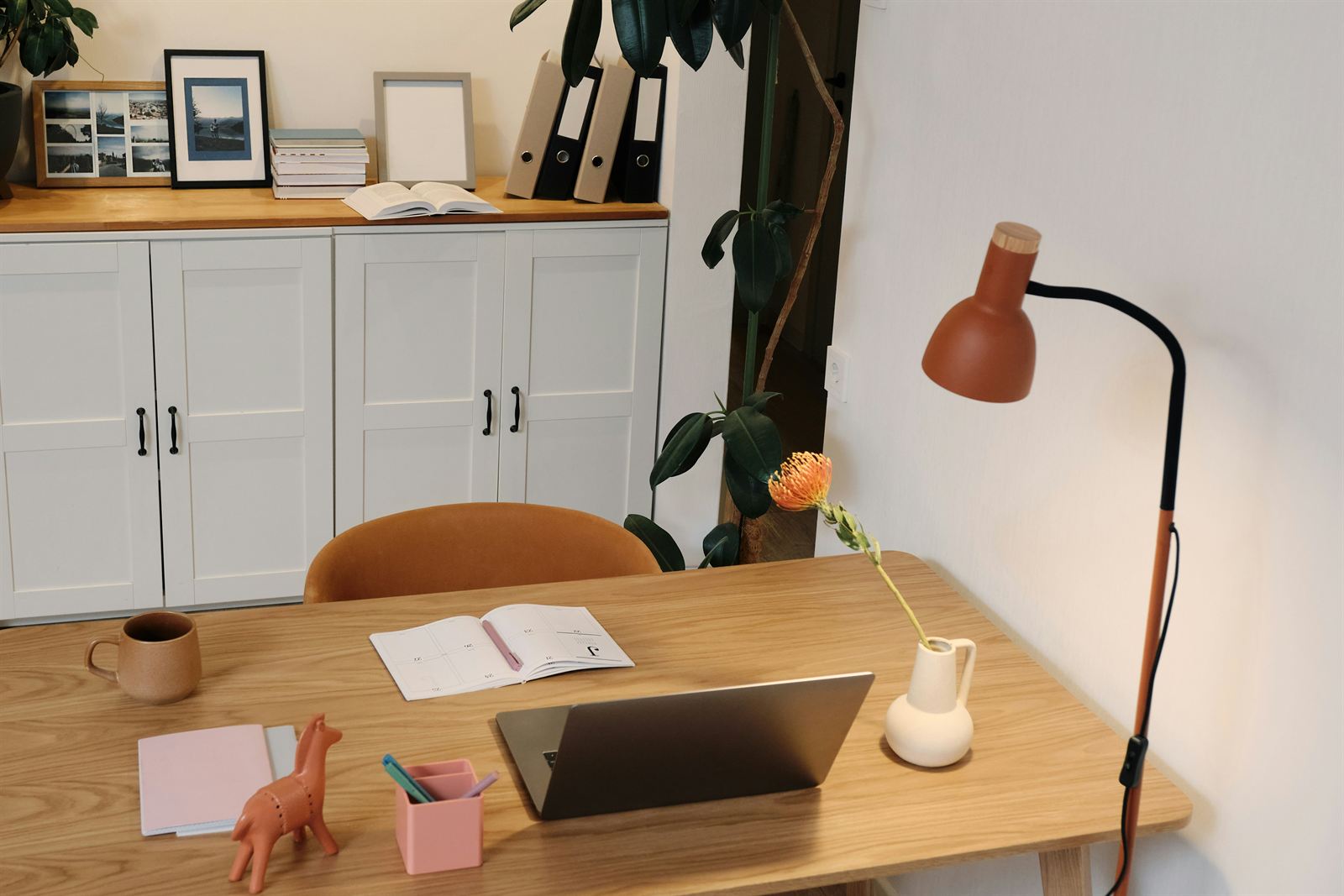
A cluttered home office can make it difficult to focus, find important papers, and complete everyday tasks. When office supplies, mail, tax documents, school papers, and work materials do not have designated homes, they often end up piled up on the desk, floor, or nearby furniture. Over time, this clutter can reduce productivity and make working from home feel frustrating.
Fortunately, you do not need a large office or an expensive organizing system to create a functional workspace. With a little decluttering, thoughtful space planning, and the right home office storage solutions, you can design an organized home office that helps you stay focused and productive.
Use these practical home office organization ideas to create a workspace that is efficient, comfortable, and easy to maintain.
Declutter Your Home Office First
The first step in organizing a home office is removing anything you no longer need. Trying to organize unnecessary papers, outdated office supplies, and unused equipment only creates more work.
Gather four boxes, baskets, bins, or bags and label them:
Keep
Donate
Sell
Toss
Choose one small area to begin with, such as your desk, a filing cabinet, a bookshelf, or an office closet. Sort each item into the appropriate category before moving to the next area. Working in sections will make the decluttering process feel more manageable and help prevent you from becoming overwhelmed.
Be honest about what you regularly use. Dispose of dried-out pens, recycle outdated papers, donate office supplies you no longer need, and remove anything that belongs in another room.
Create Functional Home Office Zones
After decluttering, divide your workspace into zones based on the activities you perform there. Creating home office zones makes it easier to decide where furniture, office supplies, files, and equipment should go.
Before purchasing storage products or new furniture, look carefully at your current home office layout. Consider how you move through the room, which supplies you use most often, and where you complete different tasks. Make sure to consider your view too. Do you want to look out the window or face your office door? By getting the layout right, you’ll have a more enjoyable space.
Most organized home offices include four basic zones.
Primary Work Zone: Your primary work zone includes your desk, chair, computer, keyboard, monitor, and the supplies you use every day. Frequently used items should remain within easy reach, either on the desktop or in nearby drawers. Keep only essential items on the desk. Pens, notepads, chargers, and other supplies can be stored in drawer dividers, desktop organizers, or small bins.
Office Supply Storage Zone: The storage zone holds extra office supplies, printer paper, files, mailing materials, and less frequently used equipment. Depending on the size of your office, this zone may include a closet, filing cabinets, rolling carts, stackable drawers, shelves, a hutch, or an office credenza. Grouping similar supplies together will help you see what you already have and prevent unnecessary purchases.
Reference Zone: Use a bookshelf, wall-mounted shelves, or a small bookcase to create a reference zone for books, manuals, binders, planners, and notebooks. Store the materials you use most often at eye level. Less frequently used reference materials can be placed on higher or lower shelves.
Communication Zone: If you work from home and regularly attend virtual meetings, create a comfortable area for video calls. This may be part of your primary desk area or a separate space within the room. Check the lighting, camera angle, seating position, sound quality, and background. Keep the visible area tidy and free from distracting clutter so your video-call setup always looks professional.
Choose the Right Home Office Storage Solutions
Once you have defined your workspace zones, evaluate whether you have enough storage to support each one. The goal is to give every item a logical, easy-to-access home.
Useful home office storage and organization ideas include:
Drawer dividers for pens, clips, sticky notes, and small supplies
Desktop organizers for frequently used items
Baskets and labeled bins for grouped supplies
Stackable drawers for paper and office essentials
Filing cabinets for household and business documents
Rolling carts for flexible storage
Bookshelves for reference materials
Pegboards or magnetic boards for vertical storage
Hutches and credenzas for concealed office storage
You do not have to buy everything new. Look around your home for baskets, trays, jars, containers, shelves, or small furniture pieces that could be repurposed. This is an easy way to organize a home office on a budget.
For more affordable ideas, read Budget-Friendly Home Organization Ideas.
Before buying anything, measure the available space and make a list of what the storage piece needs to hold. Purchasing organizers without a plan can create more clutter instead of solving the problem.
Organize Cords and Tech Clutter
Computer equipment, chargers, and tangled cords can quickly make an otherwise organized office look messy. A simple cable-management system will make your desk look cleaner while keeping your technology easy to use. Try using:
Cable clips
Cord sleeves
Desktop cable anchors
Cable-management boxes
Labeled charging cords
Surge protectors or mounted power strips
Small tech organizers
Store extra chargers, adapters, flash drives, batteries, and electronic accessories together in a labeled container. Keeping all your technology accessories in one place will save time when you need them.
Whenever possible, route cords behind the desk or along the wall. Removing visible cord clutter creates a cleaner, more peaceful workspace.
Set Up a Simple Paper Filing System
Paper clutter is one of the most common home office organization challenges. Mail, receipts, school papers, tax documents, and work files can quickly cover a desk when there is no simple system for processing them.
Choose a filing method that fits the amount of paper you keep. Options include:
A two- or three-drawer filing cabinet
Portable file boxes
Accordion files
Expanding file folders
Desktop files for current projects
Wall-mounted organizers for incoming papers
Use clear categories that make sense to you, such as taxes, insurance, medical records, household expenses, school papers, and business documents. Avoid creating too many highly specific categories, which can make filing more complicated.
Important documents such as passports, birth certificates, marriage certificates, property records, and other irreplaceable papers should be stored in a fire-resistant and water-resistant document box.
Create a designated spot for incoming papers, and schedule time each week to file, scan, recycle, or take action on them. This simple paper-management routine will prevent new piles from forming.
Learn more in Paper Clutter Solutions: Organize Your Home Office Documents and Files.
Add Personal Style Without Creating More Clutter
A productive home office should be functional, but it should also feel welcoming. A few carefully chosen decorative touches can add warmth and personality without overwhelming the space.
Consider adding:
A leather or decorative desk pad
Sculptural desk organizers
Color-coordinated notebooks
Stylish task lighting
Attractive open shelving
A framed print or photograph
A small plant
A credenza or hutch that provides hidden storage
Choose a limited number of pieces that you genuinely enjoy. Leaving some surfaces open will make the room feel calmer, cleaner, and more spacious.
Whenever possible, select home office decor that is both attractive and useful. Decorative boxes, matching file holders, and stylish storage furniture can improve the look of the room while helping control clutter.
How to Organize a Home Office in a Small Space
You do not need a dedicated room to create an organized work-from-home setup. A functional small home office can be placed along an open wall in a bedroom, family room, kitchen, hallway, or another shared space.
Look for one furniture piece that can provide both a work surface and storage. A secretary desk, compact desk with drawers, small credenza, wall-mounted desk, or hutch can help you create an efficient home office in a limited area.
Before purchasing furniture, measure the space carefully. Check for doors, windows, vents, electrical outlets, stairways, and walking paths that may affect the fit. Also consider everything the area needs to accommodate, including:
A computer or laptop
A monitor
Office supplies
Household paperwork
Filed documents
Charging equipment
A printer, if needed
In a shared room, closed storage can help conceal office clutter when the workday ends. Baskets, drawers, cabinets, and decorative boxes will keep sensitive work materials protected and prevent papers from spreading throughout the house.
Follow a Five-Minute Home Office Reset
Even the best home office organization system needs regular maintenance. Fortunately, keeping your workspace tidy does not require a long cleaning routine.
At the end of each workday, spend five minutes resetting the space:
Throw away trash.
Recycle unnecessary papers.
File completed documents.
Return supplies to their designated homes.
Clear dishes and personal items from the desk.
Write down your priorities for the next day.
Leave the desktop ready for a fresh start.
This simple daily office reset prevents clutter from accumulating and makes it easier to begin work the following morning.
Create a Home Office That Helps You Stay Productive
An organized home office can save time, reduce distractions, and make working from home more enjoyable. Start by decluttering your space, then create functional zones for working, storing supplies, keeping reference materials, and attending virtual meetings.
Use practical home office storage solutions such as drawer dividers, desktop organizers, filing cabinets, shelves, and labeled bins to give every item a designated home. Repurpose storage you already own before purchasing anything new and add a few stylish touches to make the space feel personal and inviting.
Most importantly, develop simple habits that help your organization system last. A five-minute reset at the end of each day can keep your desk clear, your paperwork under control, and your home office ready for productive work.